JMRI:
how I Operate my Trains Visually
To operate my Railway I use JMRI that is based on Java 11 and allows
to create and mantain a roster of locomotives, to run the trains using
embedded throttles, to operate the motor point for the turnouts, to control
sensors and Lights and much more. For more info please check the JMRI Project page
In the figure below you can see the current topology of my railway with the
Turnouts that I can control by tapping on the red\green circle.
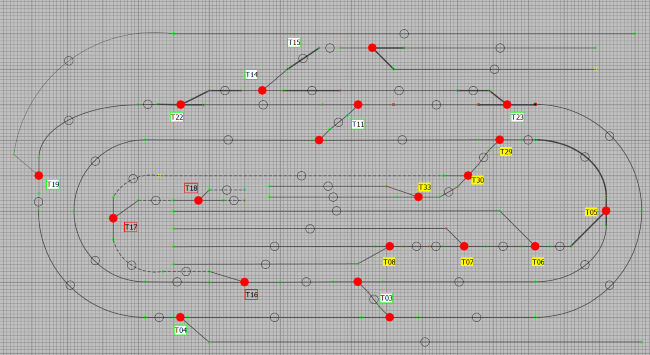
My JMRI Control Center is composed by:
- Windows 10 Laptop with JMRI and Java 11 Installed
- Arduino Mega R3 Microcontroller ( by Amazon )
- 2 Servo Driver Board PCA9685 (by Amazon ) to control 25 Servos (Sensors as well).
You can replace the PCA8685s with Mega Sensor Shield V2.0 (by Amazon ) to drive Servos and Sensors directly
from the Arduino Mega)
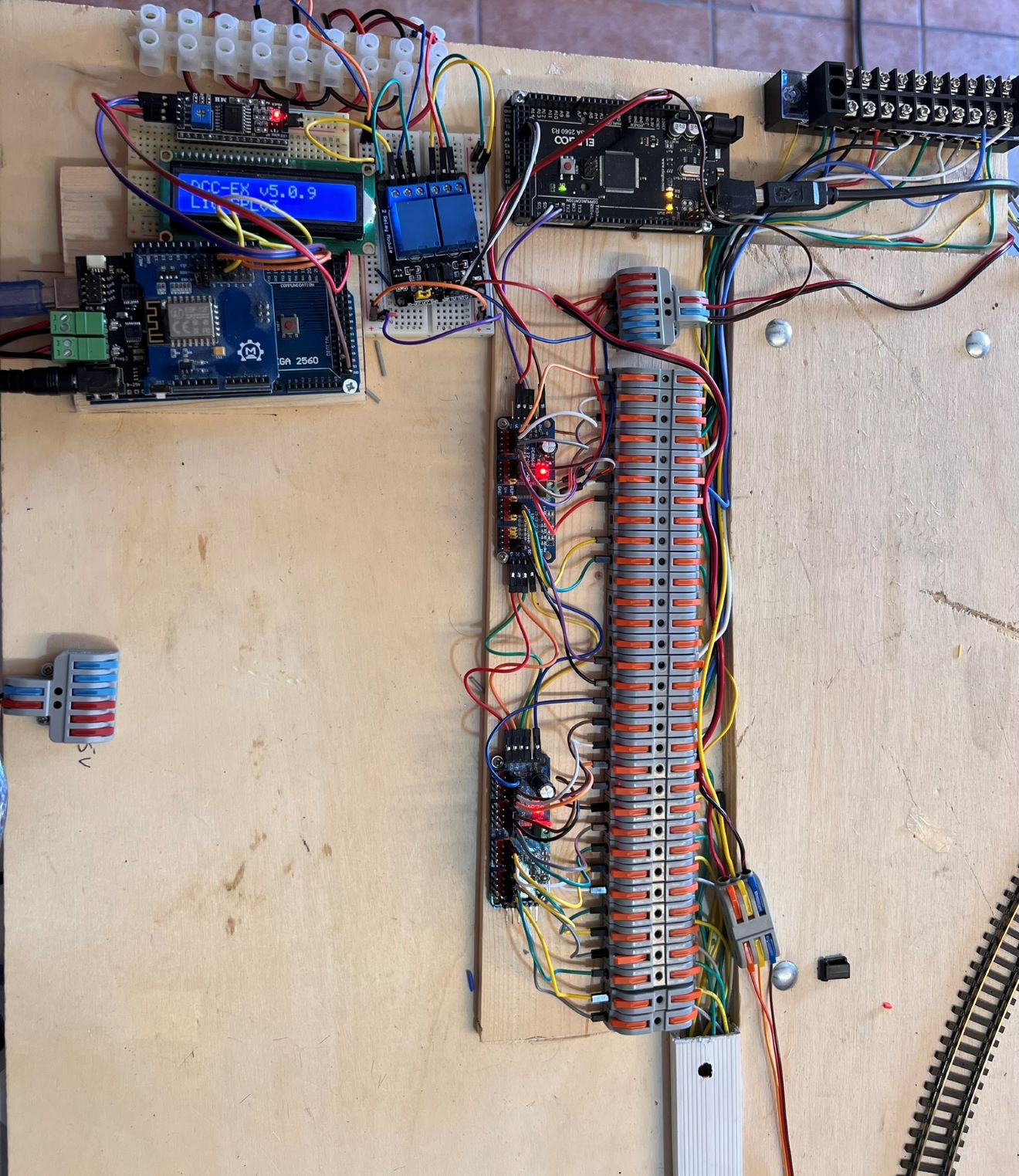
With Arduino Mega and 2 PCA9685 Ican drive up to 32 SG909 Servos (by Amazon ).
My JMRI configuration files, Arduino Sketches to control Point Motors and
Sensors and Calibration and Servo Sketches are available in my GitHub repository
You can find help looking on this video by Little Wicket Railway.