My
Way to Move from Analog to Digital
Digital Command Control (DCC) is essentially a way to control
multiple trains on the same piece of track independently of one another.
What made DCC appeling to me was the fact I was able to move from analog to
digital with a realli small investment, less than 50€.
To do this step I used the DCC-EX free and Open Source products, in
particular the EX-Command Station
To Build and operate DCC-EX Command Station you need to have basic
skills on Arduino and its programming language, you shouldn't be
a programming guru but to have basic notion to be able to understand
the available code and sometime to adapt it to your needs.
My COMMAND STATION DCC-EX
Before building my commandstation I read Articles. Forum Posts a saw YouTube
Video as well. At the end one of my preferred source, not only for DCC, are
the videos from Little Wicket Railway.
For setting up a Command Station I would also reccomend This Video.
A simply guide how to connect DCC++ EX to WiFi and use Engine Driver to run
your trains is here
Based on my Read&Watch activity the Part List of my current EX-Command
Station is:
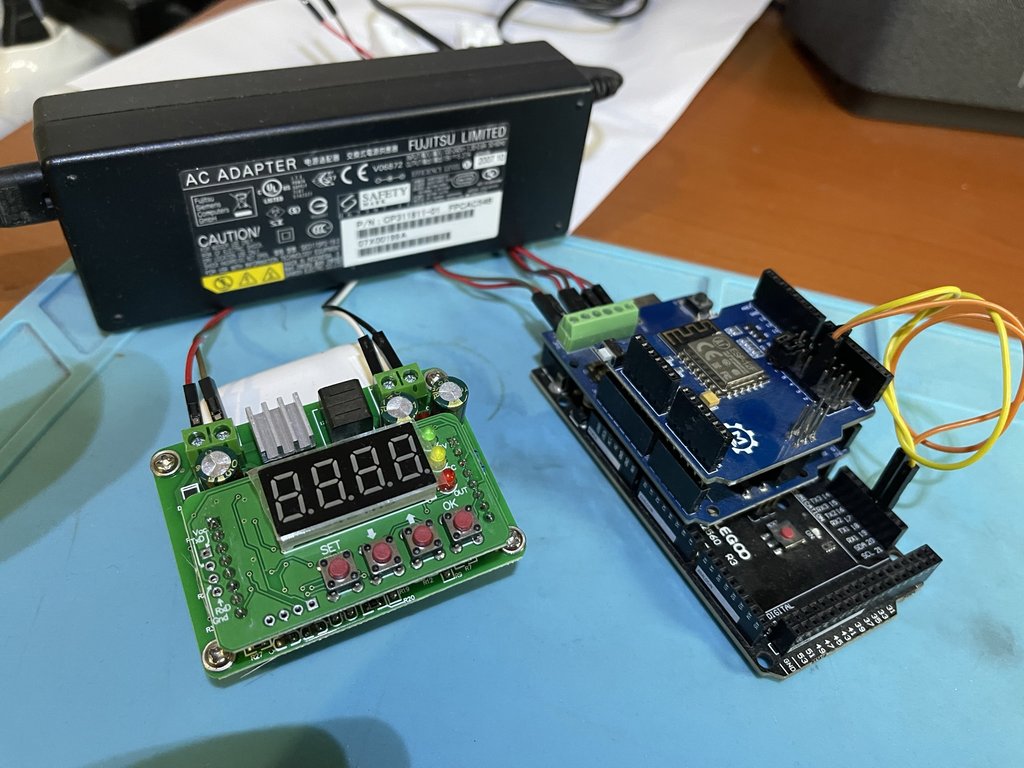
- Compatible Board Arduino Mega 2560 (by Amazon )
- EX‑MotorShield8874 (by Semify )
- P8266 WIFI Shield (based on ESP8266) by Makerfabs. Other alternative board can be
checked in DCC-EX Page
- Power Supply for Arduino Mega
- Power supply for Motor Shield; 15V to the Track are required. I
strongly suggest a Laptop Power Supply (between 19V and 21V) and
aStep Down Buck Converter ( by Amazon)